On October 22, 2025, I made the first commit to an empty Xcode project. A little over a year and 578 commits later, it is on the App Store as 100 Years Life.
The app started with exactly one user: me. I have a few chronic conditions, I exercise a lot, and I keep data on everything. Checkup reports, a smart scale, sleep, workouts: I had data for all of it.
The problem was that none of it lived in the same place.
The data existed, it was just scattered
- Checkup reports came from the clinic as a PDF, twenty-some pages each.
- The smart scale and the gym’s body-composition test each had their own app, or just a long screenshot.
- Sleep lived in Apple Watch and AutoSleep, and the two didn’t always agree.
- Workouts were split between the watch and a few fitness apps.
Each app only looked at its own slice. When a checkup flagged a value, no app would put it next to my sleep and training load from the last three months. That was the one thing I wanted: collect all of it in one place, line it up by time, and have AI help me read it.
It began as a small tool for myself. I kept adding to it, and it turned into what it is now.
What it does today
How data gets in:
| Data | How it gets in |
|---|---|
| Daily metrics such as heart rate, HRV, sleep and blood oxygen | Read from Apple Health after you grant access; 159 metrics are supported |
| Sleep | Apple Watch, or a sleep app you choose |
| Workouts | Apple Watch workouts import automatically; records from other fitness apps come in through screenshot recognition; you can also log them by hand |
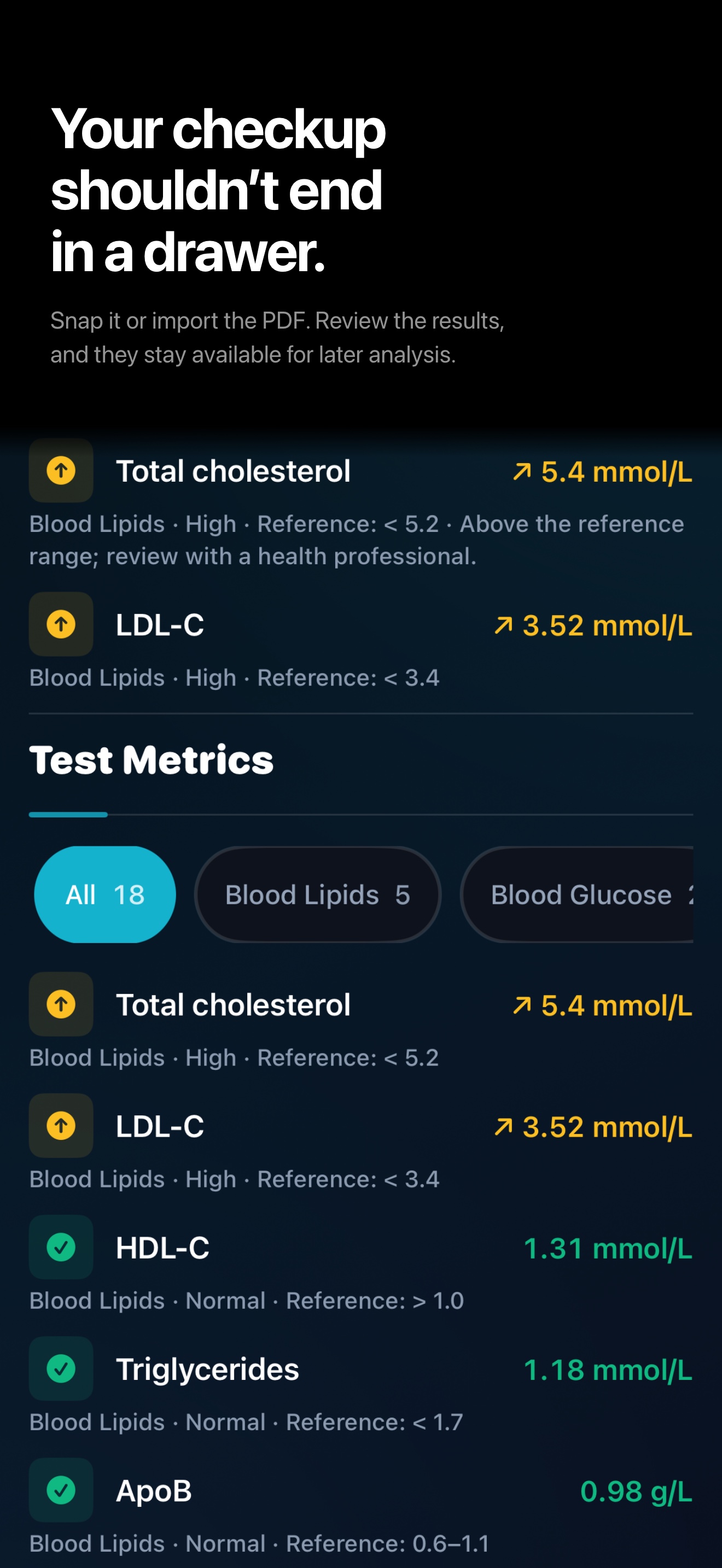
| Checkup reports and lab results | Import from a PDF or a photo, review each value, then save |
| Smart scale and body-composition reports | Import from a screenshot or a long image |
| Conditions and medications | Enter by hand, or recognize them from a medical document and tick the ones to import |
Once the data is in, the Today page shows how the body is doing today: recovery, biological age and a few long-term indicators. Every night of sleep and every workout gets its own recap. The Data page shows each metric over 7, 30 or 90 days, with checkup values next to everyday data. There is a Watch app with complications, showing the same numbers as the phone.
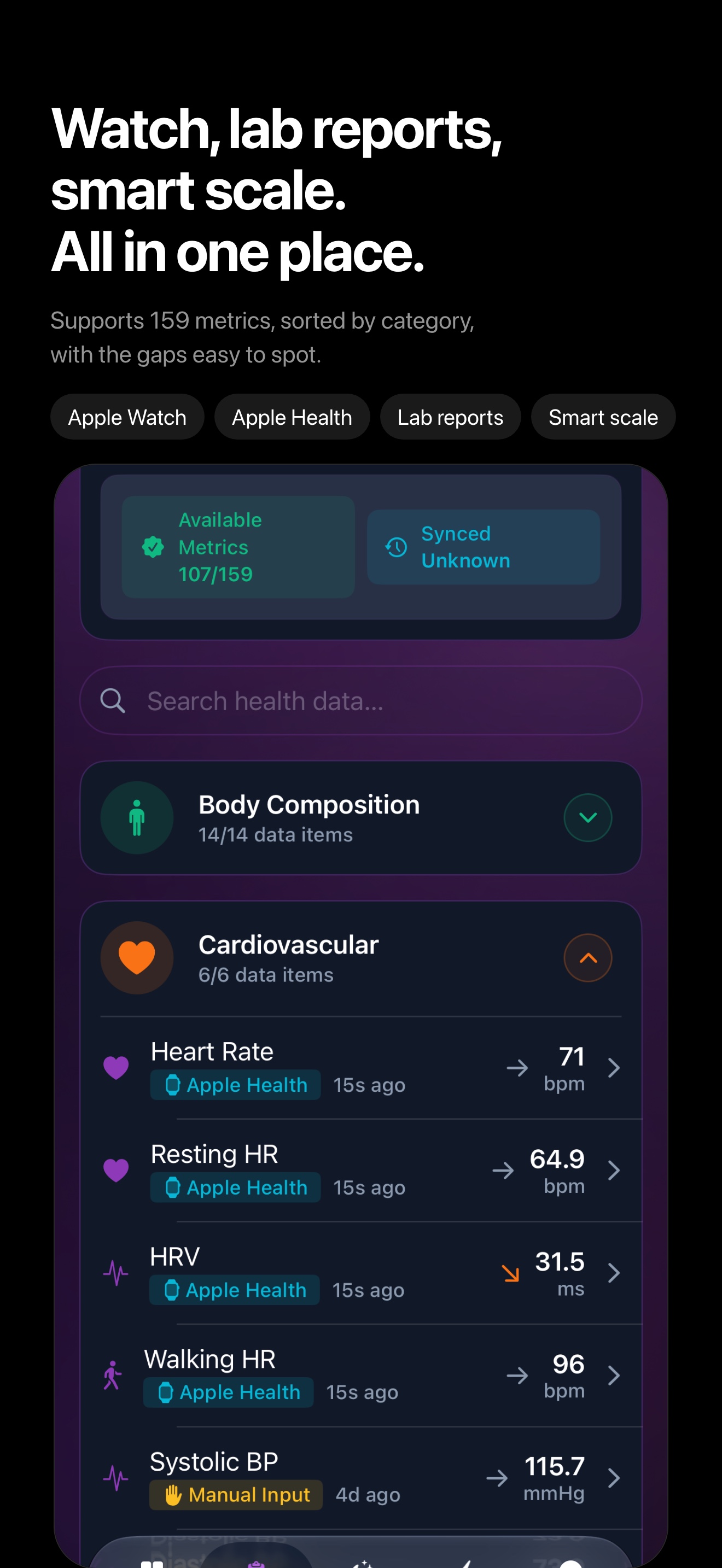
The 100-year prediction is only one small part
The app is called 100 Years, and the home page does show a “chance of living to 100”. That number is the easiest thing to remember, but it is one small part of the app, and the part I tore down and rebuilt.
The first version (November 2025) was blunt: hand the data to a large language model and let it produce the prediction. After a while I noticed that the same data, run twice, gave different numbers. A number that drifts is useless for watching a trend.
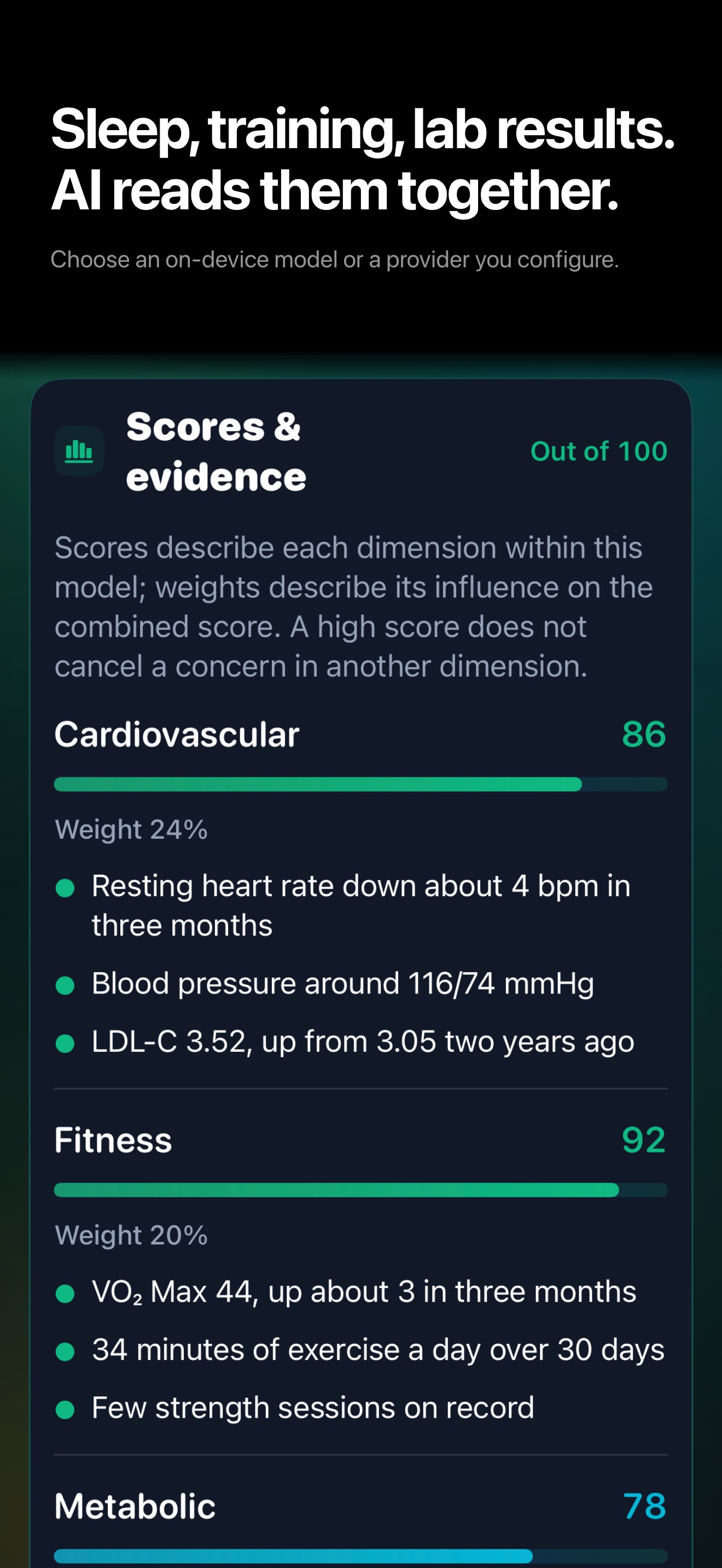
In August this year I rewrote that part. Every number is now computed by deterministic algorithms inside the app; the same input always gives the same output. The AI only explains those numbers and offers general health advice. It cannot change them.
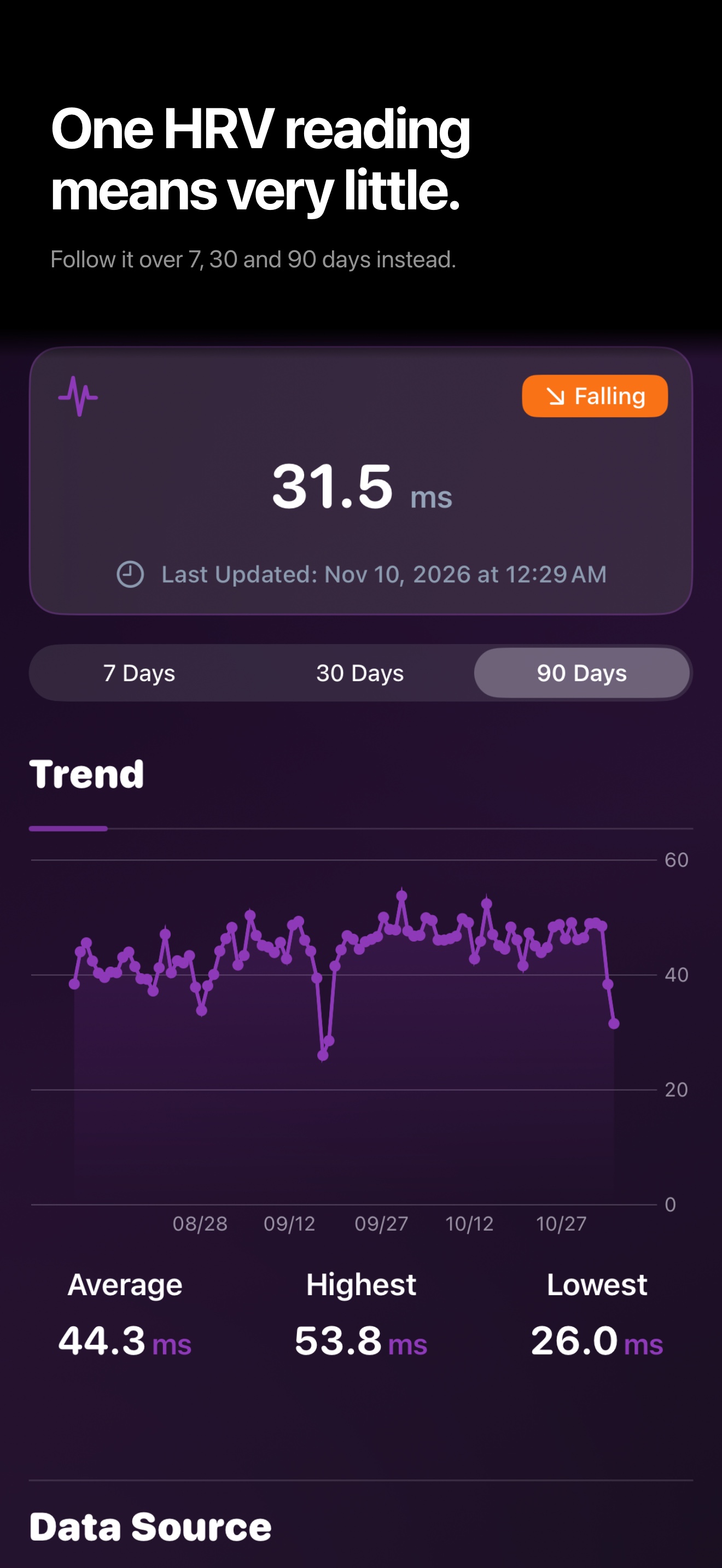
In October I audited the evidence behind the algorithm and removed rules that didn’t hold up. Wrist-measured HRV (SDNN) no longer affects the lifespan or biological-age numbers, and the watch’s deep-sleep estimate no longer affects the lifespan score. Consumer devices don’t measure those two things precisely enough to support conclusions that heavy. HRV is still there, but only for questions like “compared with my own baseline, how recovered am I today?”
The app also says it plainly: these are model estimates based on population statistics and your own data. They haven’t been calibrated against an external cohort, and they are not a doctor’s prediction.
What I look at more often is the trend: which way biological age has moved over the past few months, whether HRV is above or below my own baseline, whether training volume has outrun recovery.
Most of the time went into reading the data correctly
Over this year, most of the work went into the step before AI. Four examples I ran into myself.
Six hours of sleep, or eight. For a while the app said I slept six hours while AutoSleep said close to eight. When merging the two sources, the wider record was being thrown away. I changed it to work the way Apple Health does: one source per period decides the total; if that source has no sleep stages, stages are borrowed from the watch and clipped to that period.
17.7% body fat became 10. I imported a body-composition report from the gym. Body fat 17.7% came out as 10, and a basal metabolic rate of 1642 kcal came out as 25. The labels were all in the dictionary. The bug was after text recognition: the whole page had been flattened into one long string, every word’s position lost, and the code looked for the first number after “body fat” in that string. It found the axis ticks of the chart next to it.
The fix keeps each word’s position on the page and pairs labels with values by layout geometry. I also added sanity checks, for instance the water share of lean mass should sit near 73%, and values that fail are rejected. The rule I set for myself: no per-brand tuning for every new scale; a new vendor only adds a test fixture.
A 24-page checkup report. The old logic took “the first number after the metric name”. In a real report that number might be last year’s result, the lower bound of the reference range, or a year in the comparison table. One metric came back as 1, which was the paragraph number of the interpretation section. After switching to reading the table header first and only taking the “this result” column, all 76 values in my report came out right. The import screen shows the source text for every value, and you review them before saving.
2.2 years younger, yet aging at 1.18x. These two numbers once sat on the same screen and looked contradictory. The first is the current level, the second is recent change, and opposite directions are legitimate. The problem was 1.18 itself: it came from 32 days of data, annualized by a factor of about 11, which corresponds to an actual shift of 5.8 days, smaller than the smallest unit on screen (0.1 years, or 36.5 days). Now a direction is only shown when the change is large enough and the history is long enough; otherwise it says it can’t tell yet.
Conflicting sources, page layout, units, noise. Until those are handled, the AI is reading wrong data, and a fluent explanation of wrong data is worth nothing.
Where the AI runs and where the data lives
Health data is private, so I built this part to a standard I could accept myself:
- Health data is stored on the phone. I don’t run any servers.
- Reports and screenshots are turned into text on the phone with the system’s own text recognition. The images never go to a text model.
- AI interpretation can run three ways: fully on-device (Gemma or Qwen downloaded to the phone), fully in the cloud, or a balance of the two. The cloud path uses your own API key, and the phone talks to the provider directly.
- Every AI result carries a receipt: which model ran, on-device or cloud, and which categories of data were used. The receipt stores no prompt and no raw health values.
- No account needed. Create a local profile and start.
There is a cost. A small model on the phone writes coarser interpretations than a large cloud model. Choosing all-local means trading some interpretation quality for data that never leaves the phone.
The newest addition: overnight body signals
I added this on November 8, after listening to an interview with Eight Sleep.
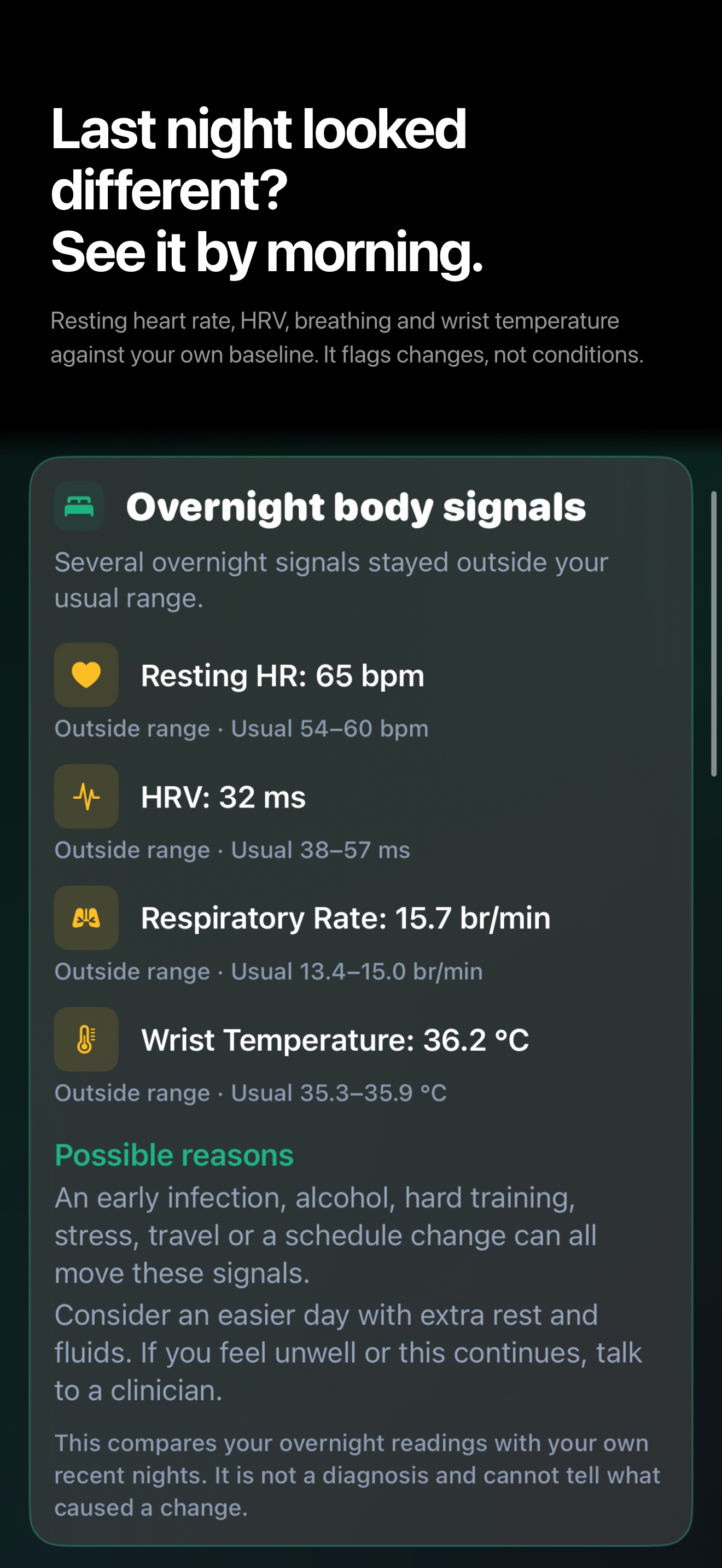
It takes each night’s resting heart rate, HRV, respiratory rate and wrist temperature and compares them with your own nights from the past four weeks or so. When two or more move outside their usual range at the same time, the recovery card says so.
The basis is a handful of wearable studies. Stanford’s NightSignal (Nature Medicine, 2022), using overnight resting heart rate alone, raised an alert on or before symptom onset in about 80% of confirmed COVID-19 cases, a median of about three days early. The same study also notes that most alerts had other causes: travel, big meals, stress, alcohol.
So the app’s wording is that overnight signals have drifted from your usual range, with the likely causes listed next to it: yesterday’s training load, alcohol, too little sleep. It doesn’t say “you’re getting sick”. Notifications are on by default, but only fire for a clear deviation, once per episode, at least seven days apart.
What it can’t do
- It isn’t a medical device. It doesn’t diagnose and doesn’t give treatment advice. For chronic conditions, the follow-ups and the doctor visits still happen; what it does for me is keep the record between two checkups.
- The 100-year number and biological age are model estimates, not validated against an external cohort.
- Missing data stays missing. It never fills in a plausible-looking number. Right after installing, with little data, many cards are empty.
- iPhone and Apple Watch only. My day job is Android performance engineering, and my own app has no Android version.
- Not finished yet: overnight signals aren’t on the Watch, and the effect of the menstrual cycle on temperature isn’t handled.
Getting it, and what it costs
Search “100 Years Life” on the App Store, or open https://apps.apple.com/us/app/100-years-life/id6779898766 (China store: https://apps.apple.com/cn/app/100years/id6779898766). It needs iOS 17 or later; the Watch app needs watchOS 10 or later.
The free version includes every page and every algorithmic result. Importing checkup reports and scale data is unlimited, and JSON/CSV export is free. Once a model or provider is configured, you can start one AI analysis per day, and prediction history keeps the last three records.
A one-time purchase unlocks unlimited AI analyses, full history and trends, and PDF export. There is no subscription.
I still use it every day, and the features have mostly been added one at a time as I needed them. If a value is read wrong or a page doesn’t make sense, I’d like to hear about it. There is a beta and feedback group on WeChat (Chinese-speaking): scan the code below, or add me on WeChat at 553000664 if the code has expired.