接前一篇文章使用Android Studio查看Android Lollipop源码 , 我们知道,仅仅看代码,提高是比较有限的,而且理解起来也比较肤浅,往往过目就忘. 而自己写过的代码,往往会印象比较深刻,在写的时候也会比较容易理解流程. 所以我们在看代码的同时, 如果能修改代码, 在手机上跑起来并看到修改的效果,这无疑会加快看代码的效率和积极性. 所以这篇文章,就讲解一下如何自己编译AndroidL的源码,并且在Nexus5上跑起来. 至于为何需要自己编译固件,而不是直接安装Google给出的工厂固件?原因是Google给出的工厂固件是User版本,是没法随心所欲Push东西进去的. 所以我们需要编译自己的Userdebug版本.
本文假设你已经下载了AndroidL的源码,并且有一台Nexus5手机(手机系统开发人员必备), 如果你还没有AndroidL的源码,或者你有源码但是没有配置编译的环境,那么 Initializing a Build Environment 和Downloading the Source 这两篇文章你应该先去看一下。如果访问官方文档或下载源码不顺畅,需要先处理网络与源码获取环境。这后面的教程Google官网也有教程.所以我只针对Nexus5进行讲解.
另外你需要知道AOSP,AOSP即Android Open Source Project 汉语意思是:谷歌开放源代码项目.我们通过Google官方下载的源代码,就是AOSP的代码, 其中是不包含Google开发的那些个应用的,各个厂商拿到的也是这个版本,在这个版本的基础上进行修改. 而Google发布的工厂固件则是包含全套Google服务的. 厂商如果想安装Google服务,就需要过Google的那一套认证,比较麻烦,而且价格不菲,鉴于Google在国内的尴尬地位,国内很多厂商都没有过这个认证.
这篇文章是 Android L/Nexus 5 的历史流程,不应直接照搬到现在的 AOSP 构建。现在从零开始更推荐先用官方 android-latest-release 分支和 Cuttlefish 跑通:repo init --partial-clone -b android-latest-release -u https://android.googlesource.com/platform/manifest、repo sync -c -j8、source build/envsetup.sh、lunch product_name-release_config-build_variant、m。如果目标是真机,应选择仍在 AOSP 支持矩阵里的 Pixel 设备,并下载对应厂商二进制;Nexus 5/hammerhead、Android L 的 aosp_hammerhead-userdebug、旧驱动下载页和旧 fastboot 细节只适合作为理解 user/userdebug、vendor blobs、刷机流程的历史样例。
1. 初始化编译环境 2. 加载机型 3. 选择要编译的机器 1 2 3 4 5 6 7 8 9 10 11 12 13 14 15 16 17 18 19 20 21 22 23 24 25 You're building on Linux Lunch menu... pick a combo: 1. aosp_arm-eng 2. aosp_arm64-eng 3. aosp_mips-eng 4. aosp_mips64-eng 5. aosp_x86-eng 6. aosp_x86_64-eng 7. aosp_shamu-userdebug 8. aosp_manta-userdebug 9. full_fugu-userdebug 10. aosp_fugu-userdebug 11. aosp_grouper-userdebug 12. aosp_tilapia-userdebug 13. aosp_deb-userdebug 14. aosp_flo-userdebug 15. aosp_mako-userdebug 16. aosp_hammerhead-userdebug 17. aosp_flounder-userdebug 18. mini_emulator_x86_64-userdebug 19. mini_emulator_arm-userdebug 20. mini_emulator_x86-userdebug 21. mini_emulator_mips-userdebug 22. mini_emulator_arm64-userdebug
3.1 机型对照表
DEVICE
CODE NAME
BUILD CONFIGURATION
Nexus 6
shamu
aosp_shamu-userdebug
Nexus Player
fugu
aosp_fugu-userdebug
Nexus 9
volantis (flounder)
aosp_flounder-userdebug
Nexus 5 (GSM/LTE)
hammerhead
aosp_hammerhead-userdebug
Nexus 7 (Wi-Fi)
razor (flo)
aosp_flo-userdebug
Nexus 7 (Mobile)
razorg (deb)
aosp_deb-userdebug
Nexus 10
mantaray (manta)
full_manta-userdebug
Nexus 4
occam (mako)
full_mako-userdebug
Nexus 7 (Wi-Fi)
nakasi (grouper)
full_grouper-userdebug
Nexus 7 (Mobile)
nakasig (tilapia)
full_tilapia-userdebug
Galaxy Nexus (GSM/HSPA+)
yakju (maguro)
full_maguro-userdebug
Galaxy Nexus (Verizon)
mysid (toro)
aosp_toro-userdebug
Galaxy Nexus (Experimental)
mysidspr (toroplus)
aosp_toroplus-userdebug
PandaBoard (Archived)
panda
aosp_panda-userdebug
Motorola Xoom (U.S. Wi-Fi)
wingray
full_wingray-userdebug
Nexus S
soju (crespo)
full_crespo-userdebug
Nexus S 4G
sojus (crespo4g)
full_crespo4g-userdebug3.2
3.2 三个版本说明版本
BUILDTYPE
USE
user
limited access; suited for production
userdebug
like “user” but with root access and debuggability; preferred for debugging
eng
development configuration with additional debugging tools
选择aosp_hammerhead-userdebug之后,会有下面的确认信息:
1 2 3 4 5 6 7 8 9 10 11 12 13 14 15 16 17 18 19 20 ============================================ PLATFORM_VERSION_CODENAME=REL PLATFORM_VERSION=5.0.50.50.50.50 TARGET_PRODUCT=aosp_hammerhead TARGET_BUILD_VARIANT=userdebug TARGET_BUILD_TYPE=release TARGET_BUILD_APPS= TARGET_ARCH=arm TARGET_ARCH_VARIANT=armv7-a-neon TARGET_CPU_VARIANT=krait TARGET_2ND_ARCH= TARGET_2ND_ARCH_VARIANT= TARGET_2ND_CPU_VARIANT= HOST_ARCH=x86_64 HOST_OS=linux HOST_OS_EXTRA=Linux-3.13.0-37-generic-x86_64-with-Ubuntu-14.10-utopic HOST_BUILD_TYPE=release BUILD_ID=AOSP OUT_DIR=out ============================================
4. 生成驱动目录 接下来需要在Android官网 下载 Nexus5所需要的驱动:
HARDWARE COMPONENT
COMPANY
DOWNLOAD
MD5 CHECKSUM
SHA-1 CHECKSUM
NFC, Bluetooth, Wi-Fi
Broadcom
Link 2c398994e37093df51b105d63f0eb611
991346159c95ae75f760014a6822b8b3e8667700
Camera, Sensors, Audio
LG
Link 74cf8235e6bb04da28b2ff738b13eee9
175dd5bae81bb54030d072cb0f0b4ec81eb3f71f
Graphics, GSM, Camera, GPS, Sensors, Media, DSP, USB
Qualcomm
Link 0a43395e175d3de3dc312d8abdcb4f20
007cf9d49f0409d5c703e7f2811fd153fee22353
下载完成后,解压出来是三个.sh文件,放到Android源码目录下面,然后执行.会将相关驱动放到vender目录下面.
5. 执行编译命令 如果没有出错的话,在经过漫长的时间之后,编译成功:
1 2 3 4 5 6 7 8 9 10 11 12 13 14 15 16 17 18 Installed file list: out / target/ product/ hammerhead/ installed- files.txt Target system fs image: out / target/ product/ hammerhead/ obj/ PACKAGING/ systemimage_intermediates/ system.img Running : mkuserimg.sh - s out / target/ product/ hammerhead/ system out / target/ product/ hammerhead/ obj/ PACKAGING/ systemimage_intermediates/ system.img ext4 system 1073741824 - L system out / target/ product/ hammerhead/ root/ file_contextsmake_ext4fs - s - T -1 - S out / target/ product/ hammerhead/ root/ file_contexts - L system - l 1073741824 - a system out / target/ product/ hammerhead/ obj/ PACKAGING/ systemimage_intermediates/ system.img out / target/ product/ hammerhead/ system Creating filesystem with parameters: Size: 1073741824 Block size: 4096 Blocks per group : 32768 Inodes per group : 8192 Inode size: 256 Journal blocks: 4096 Label: system Blocks: 262144 Block groups : 8 Reserved block group size: 63 Created filesystem with 1445 / 65536 inodes and 85879 / 262144 blocks Install system fs image: out / target/ product/ hammerhead/ system.img out / target/ product/ hammerhead/ system.img+ out / target/ product/ hammerhead/ obj/ PACKAGING/ recovery_patch_intermediates/ recovery_from_boot.p maxsize= 1096212480 blocksize= 135168 total= 336629666 reserve= 11083776
6. 刷机命令 Nexus5关机状态下,长按音量下+电源,即可进入recovery模式, 然后在源码根目录下执行下面命令:
刷机成功后会自动重启
1 2 3 4 5 6 7 8 9 10 11 12 13 14 15 16 17 18 19 20 21 22 23 24 25 26 27 28 29 30 31 32 33 34 35 36 37 38 39 40 41 42 43 44 45 46 47 48 49 50 51 52 53 54 55 56 57 58 59 60 61 62 ~/Android-SourceCode fastboot -w flashall target reported max download size of 1073741824 bytes Creating filesystem with parameters: Size: 13725835264 Block size: 4096 Blocks per group: 32768 Inodes per group: 8144 Inode size: 256 Journal blocks: 32768 Label: Blocks: 3351034 Block groups: 103 Reserved block group size: 823 Created filesystem with 11/838832 inodes and 93654/3351034 blocks Creating filesystem with parameters: Size: 734003200 Block size: 4096 Blocks per group: 32768 Inodes per group: 7472 Inode size: 256 Journal blocks: 2800 Label: Blocks: 179200 Block groups: 6 Reserved block group size: 47 Created filesystem with 11/44832 inodes and 5813/179200 blocks -------------------------------------------- Bootloader Version...: HHZ12d Baseband Version.....: M8974A-2.0.50.2.22 Serial Number........: 08ade1a513dc087b -------------------------------------------- checking product... OKAY [ 0.100s] sending 'boot' (8950 KB)... OKAY [ 0.500s] writing 'boot'... OKAY [ 0.784s] sending 'recovery' (9672 KB)... OKAY [ 0.556s] writing 'recovery'... OKAY [ 0.814s] erasing 'system'... OKAY [ 1.166s] sending 'system' (328187 KB)... OKAY [ 10.501s] writing 'system'... OKAY [ 23.623s] erasing 'userdata'... OKAY [ 14.657s] sending 'userdata' (137318 KB)... OKAY [ 4.520s] writing 'userdata'... OKAY [ 9.776s] erasing 'cache'... OKAY [ 0.618s] sending 'cache' (13348 KB)... OKAY [ 0.630s] writing 'cache'... OKAY [ 1.070s] rebooting... finished. total time: 70.095s
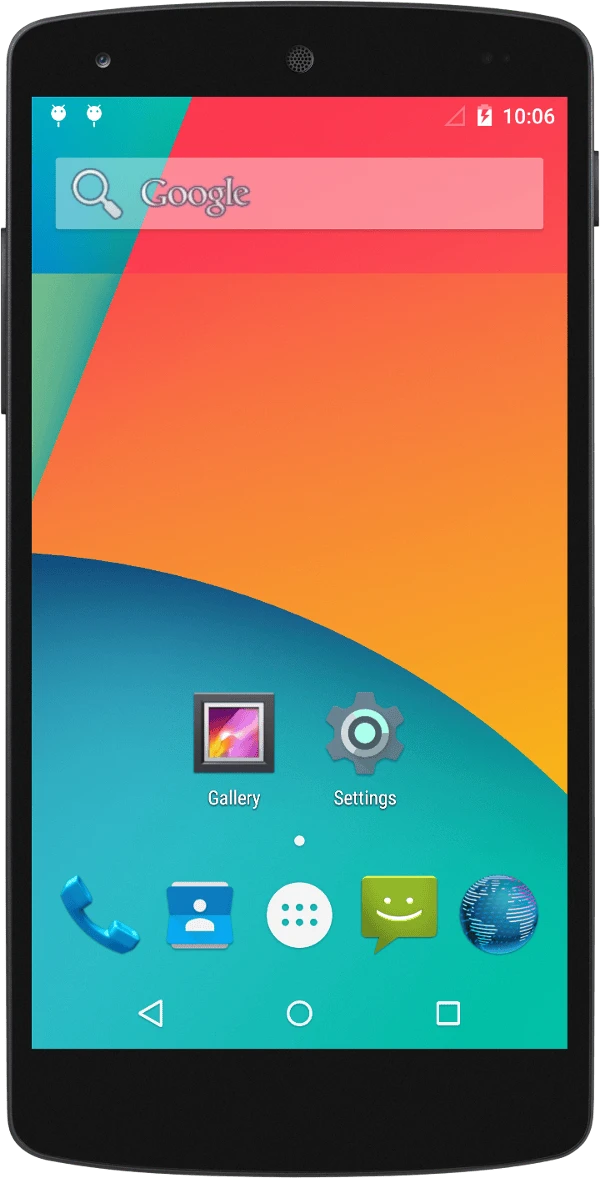
7.秀桌面
关于我 && 博客 下面是个人的介绍和相关的链接,期望与同行的各位多多交流,三人行,则必有我师!
博主个人介绍 :里面有个人的微信和微信群链接。本博客内容导航 :个人博客内容的一个导航。个人整理和搜集的优秀博客文章 - Android 性能优化必知必会 :欢迎大家自荐和推荐 (微信私聊即可)Android性能优化知识星球 : 欢迎加入,多谢支持~
一个人可以走的更快 , 一群人可以走的更远